← Back to Commands

Changelog

Follow up on the latest improvements and updates.

Cleanup

Removed Non-Working Commands

  • Removed commands that were not functional or outdated
  • Cleaned up the command list for better user experience
  • All remaining commands are verified working
Update

Responsive Design & Navigation Improvements

Major updates to make the guide accessible on all devices and improve navigation:

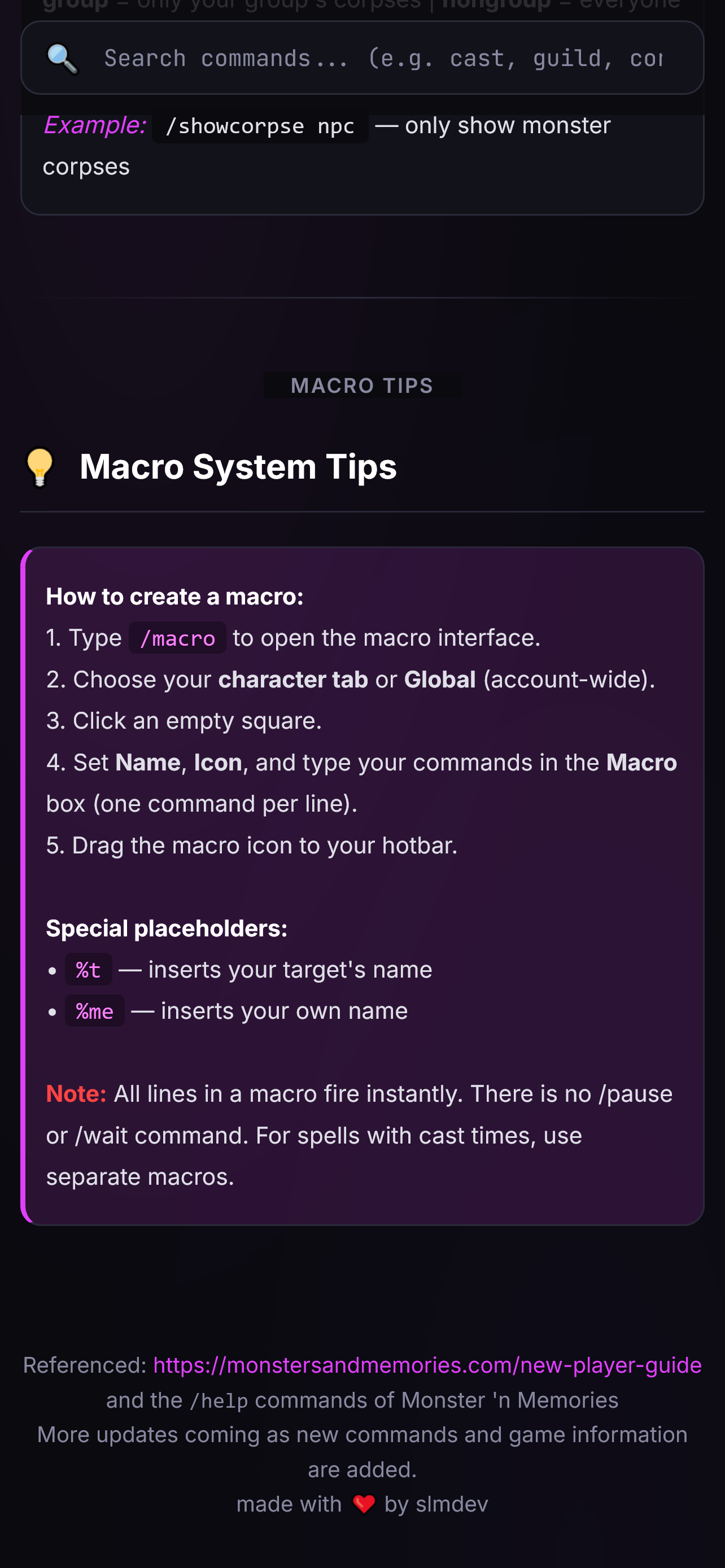
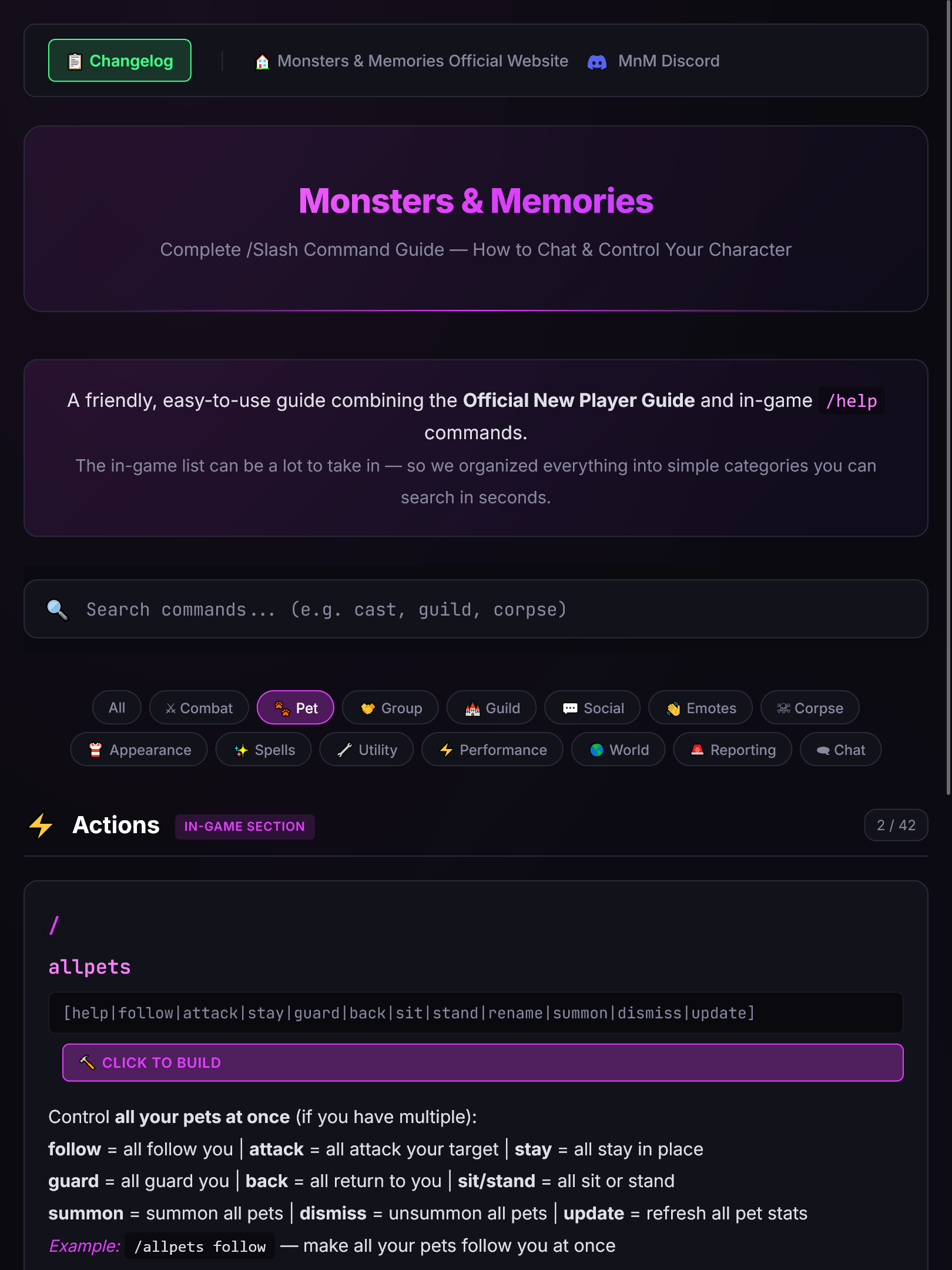
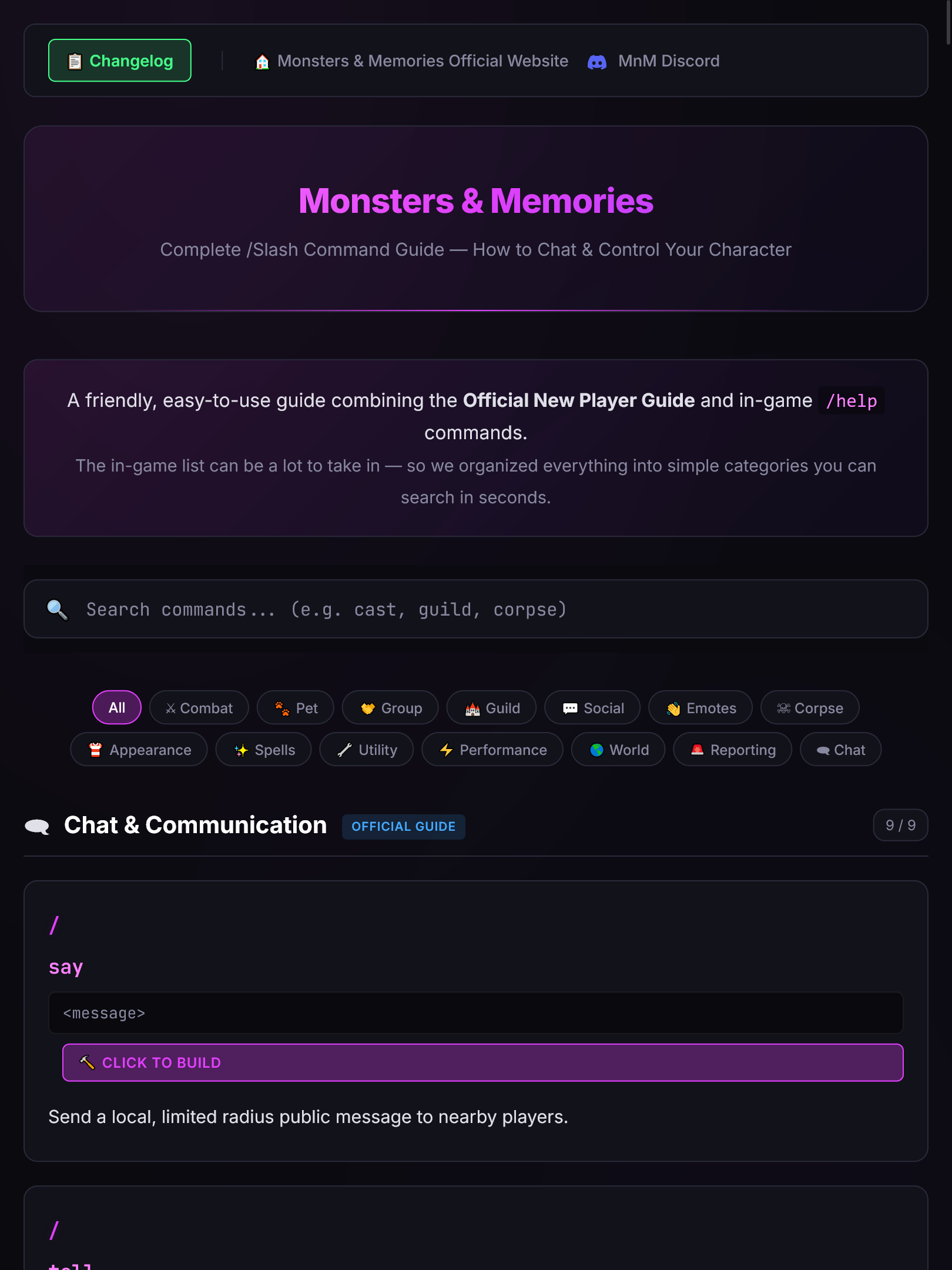
  • Full Responsive Design – Optimized layouts for all screen sizes: small phones (320px+), large phones, tablets (portrait & landscape), laptops, desktops, and even 4K displays & Smart TVs. The site now adapts intelligently at every breakpoint.
  • Enhanced Top Navigation – Added prominent navigation bar with:
    • 📋 Changelog link for easy access to updates
    • 🏠 Monsters & Memories Official Website link with clear labeling
    • Official Discord link with Discord logo icon
  • Mobile-First Improvements – Touch-friendly buttons, stacked navigation on small screens, and optimized font sizes for readability on all devices.
  • Click-to-Build Badge – Added 🔨 hammer icon to the "Click to build" badge for commands with parameters, making interactive commands more discoverable.
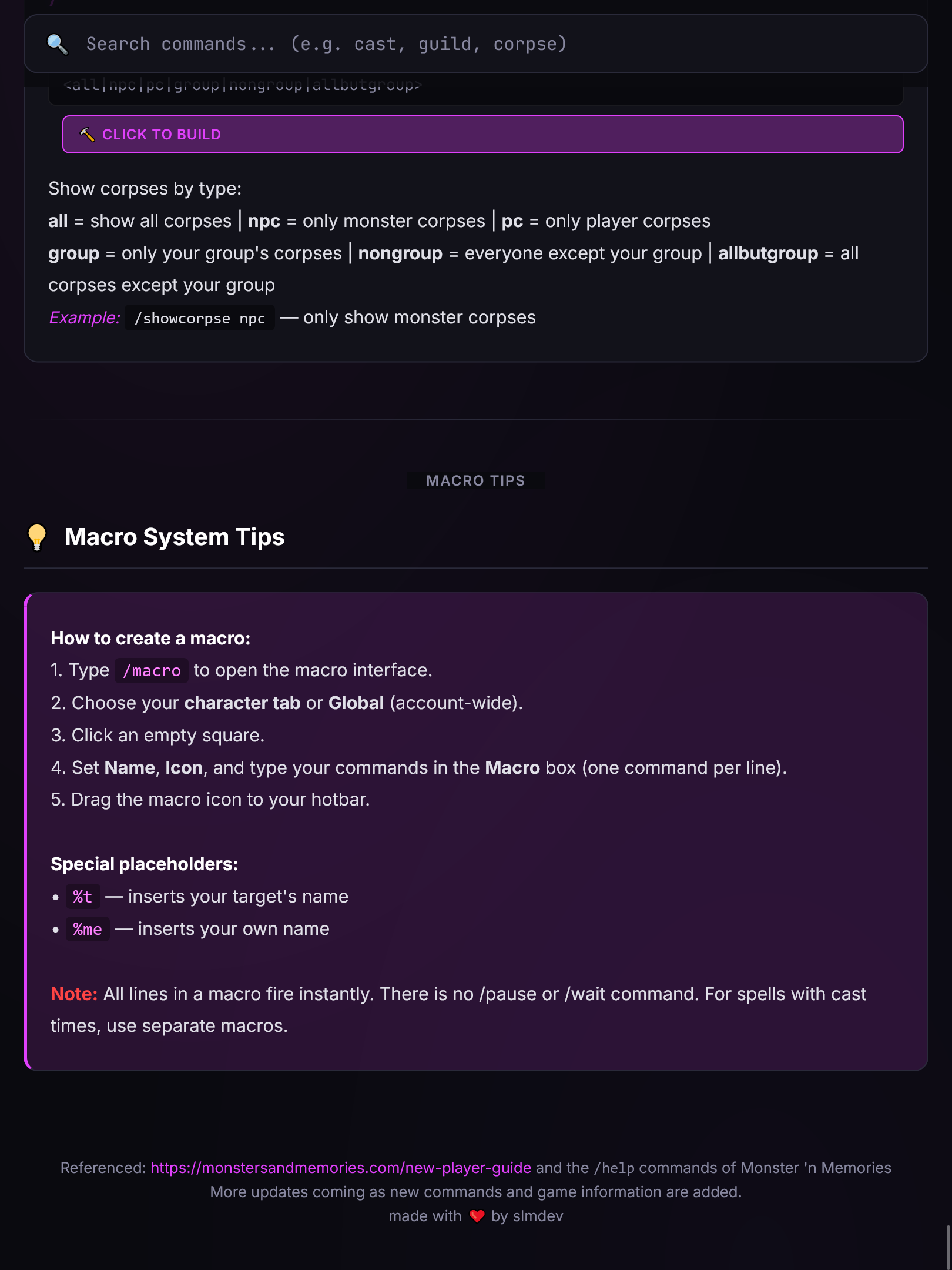
  • Improved Command Descriptions – Enhanced expandable descriptions showing all parameter options clearly with better spacing and layout.

Whether you're on your phone during a gaming session, tablet on the couch, or desktop at your battlestation, the guide now works perfectly everywhere.
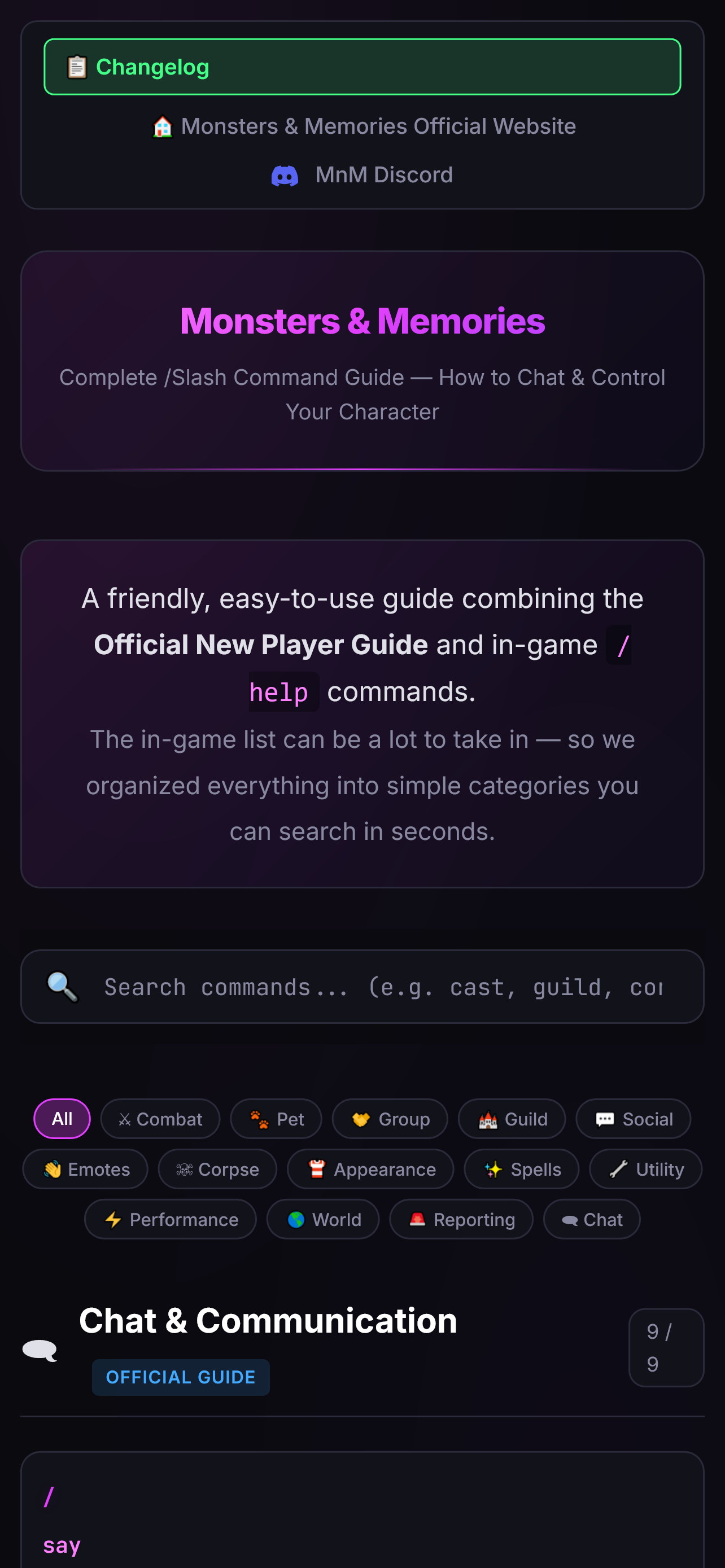
Mobile view - Monsters & Memories command guide on iPhone 📱 Mobile View
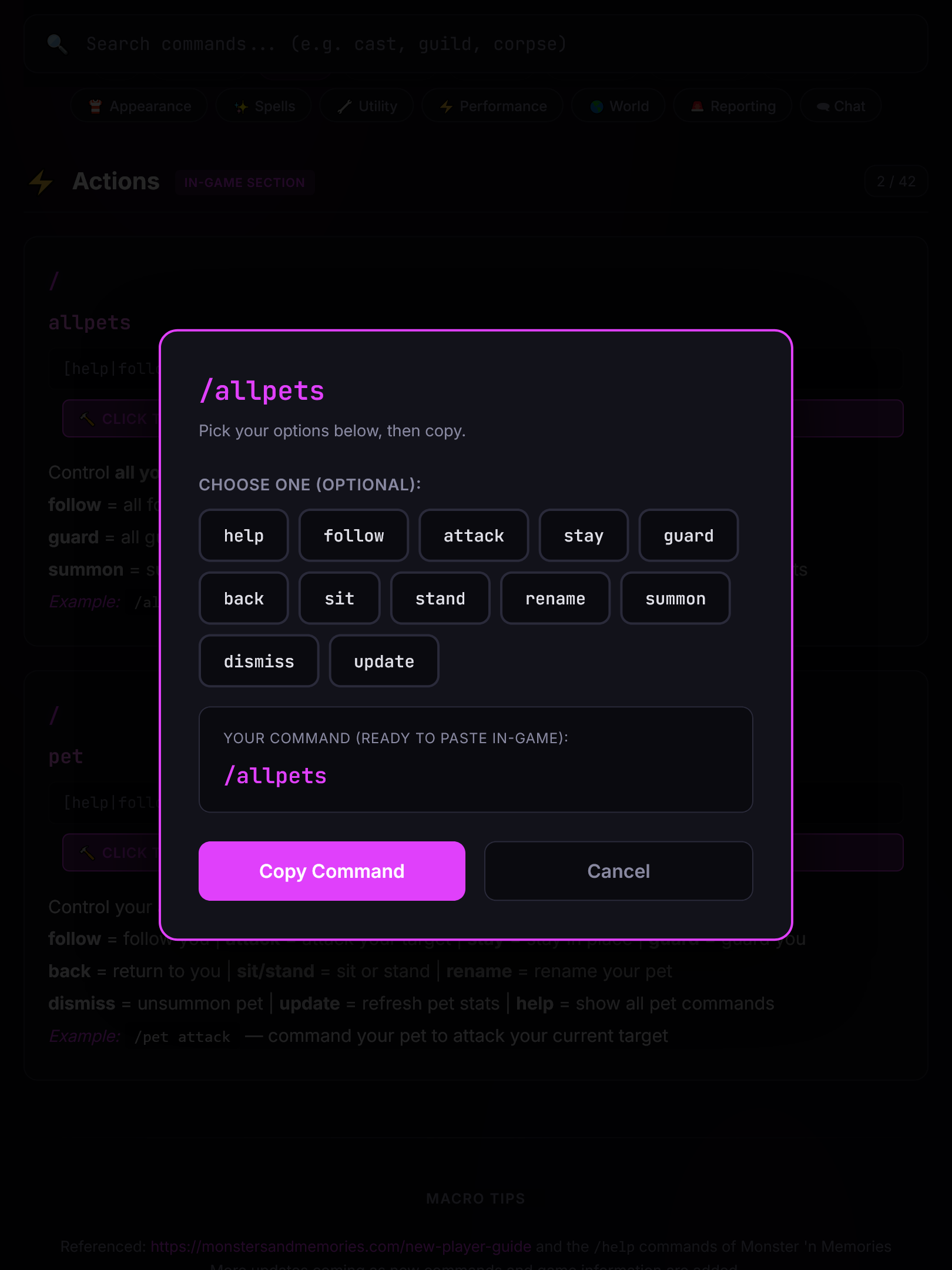
Mobile command builder - Interactive parameter selection 📱 Mobile Command Builder
Tablet view - Monsters & Memories command guide on iPad 📱 Tablet View
Tablet interface - Clean layout and navigation 📱 Tablet Navigation
Desktop view - Monsters & Memories command guide 💻 Desktop View
Additional tablet angle - Responsive design showcase 📱 Tablet Responsive
High visibility preview of the command guide interface �️ Interface Preview
Detailed view of the interactive command builder modal ⚙️ Command Builder Detail
Expandable command descriptions 📖 Parameter Descriptions
Update

Enhanced Image Gallery & Modal Popup Features

Major improvements to the changelog viewing experience with enhanced image visibility and interactive features:

  • Clickable Image Popups – All changelog images can now be clicked to open in a full-screen modal with enhanced brightness and contrast for better visibility.
  • Enhanced Image Visibility – Added CSS filters to increase brightness (1.1x) and contrast (1.05x) for all gallery images, making them easier to see against the dark theme.
  • Improved Gallery Layout – Reorganized image gallery into device views and feature highlights with better spacing and visual hierarchy.
  • Multiple Close Options – Modal can be closed via × button, background click, or Escape key for user-friendly interaction.
  • High-Quality Screenshots – Added additional high-resolution images showing the interface in various states and device configurations.

Users can now easily examine interface details by clicking any image, with enhanced visibility especially helpful for users with vision challenges.

Mobile view - Monsters & Memories command guide on iPhone 📱 Mobile View
Mobile command builder - Interactive parameter selection 📱 Mobile Command Builder
Tablet view - Monsters & Memories command guide on iPad 📱 Tablet View
Tablet interface - Clean layout and navigation 📱 Tablet Navigation
Desktop view - Monsters & Memories command guide 💻 Desktop View
Additional tablet angle - Responsive design showcase 📱 Tablet Responsive
High visibility preview of the command guide interface 🖼️ Interface Preview
Detailed view of the interactive command builder modal ⚙️ Command Builder Detail
Expandable command descriptions 📖 Parameter Descriptions
New

Initial Release — Slash Command Guide

We put together a complete, searchable guide for every slash command in Monster 'n Memories. Here is what is included:

  • Search & Filter – Instantly find any command by name, keyword, or category. No more scrolling through walls of text in-game.
  • Category Navigation – Commands organized into clear groups: Combat, Pet, Group, Guild, Social, Emotes, Spells, and more.
  • Click-to-Build – Commands with options (like /pet, /hidecorpse, /attack) open an interactive builder. Just click the option you want — no typing or memorizing needed.
  • Click-to-Copy – Every command copies to your clipboard with one click, ready to paste in-game.
  • Accessibility First – Designed with big buttons, clear labels, and calm colors for users with ADHD, memory challenges, or anyone who wants a simpler experience.

This guide combines the Official New Player Guide and in-game /help commands into one easy place. More updates coming soon!

Enlarged view